Scope
A flight school’s daily work, in ten modules.
The modules are not separate products. They share the same aircraft, the same people and the same exercise records, so what you enter in one place is correct everywhere else. Modules you do not need come off the menu.
Flight planning and daily operations
The planning screen is more than a calendar. It knows where each student left off, which aircraft is cleared for the exercise and who is actually free at that hour.
ExploreStudent training records
You define the syllabus once as exercise groups. Every completed flight posts its time to the right exercise and the student’s progress card updates itself.
ExploreWeight and balance
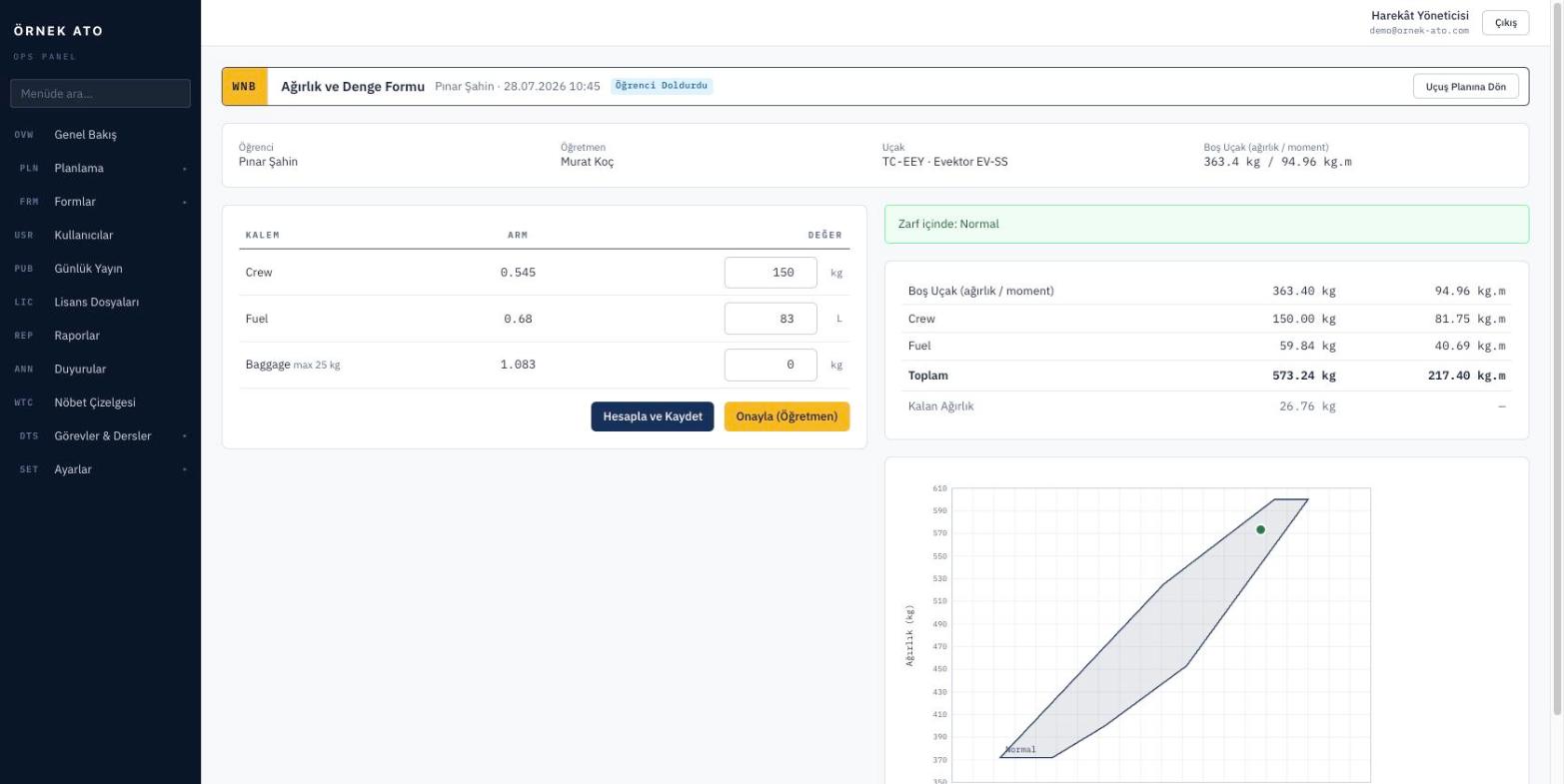
Items, arms and envelope points are defined once per aircraft type. The instructor opening the form from a flight row only enters the load; the calculation and envelope check happen instantly.
ExploreEvaluation forms
You are not stuck with a preset template. You define the fields, options and scoring, and attach them to exercises. After that the system watches: who filled it in, who approved it, which one is still waiting.
ExploreGround school and attendance
You define a lesson catalogue and plan lessons with instructors and student groups. Attendance is recorded on screen and feeds directly into each student’s ground exercise progress.
ExploreFleet management
The fleet record is more than an inventory list. You define what each aircraft can be used for, and the planning screen narrows the options accordingly.
ExploreLicence and certificate tracking
Medical, class ratings and instrument rating currency sit on each person’s card with the days remaining. Anyone expired cannot be put on a plan, and reminders go out for anything about to lapse.
ExploreReporting and analytics
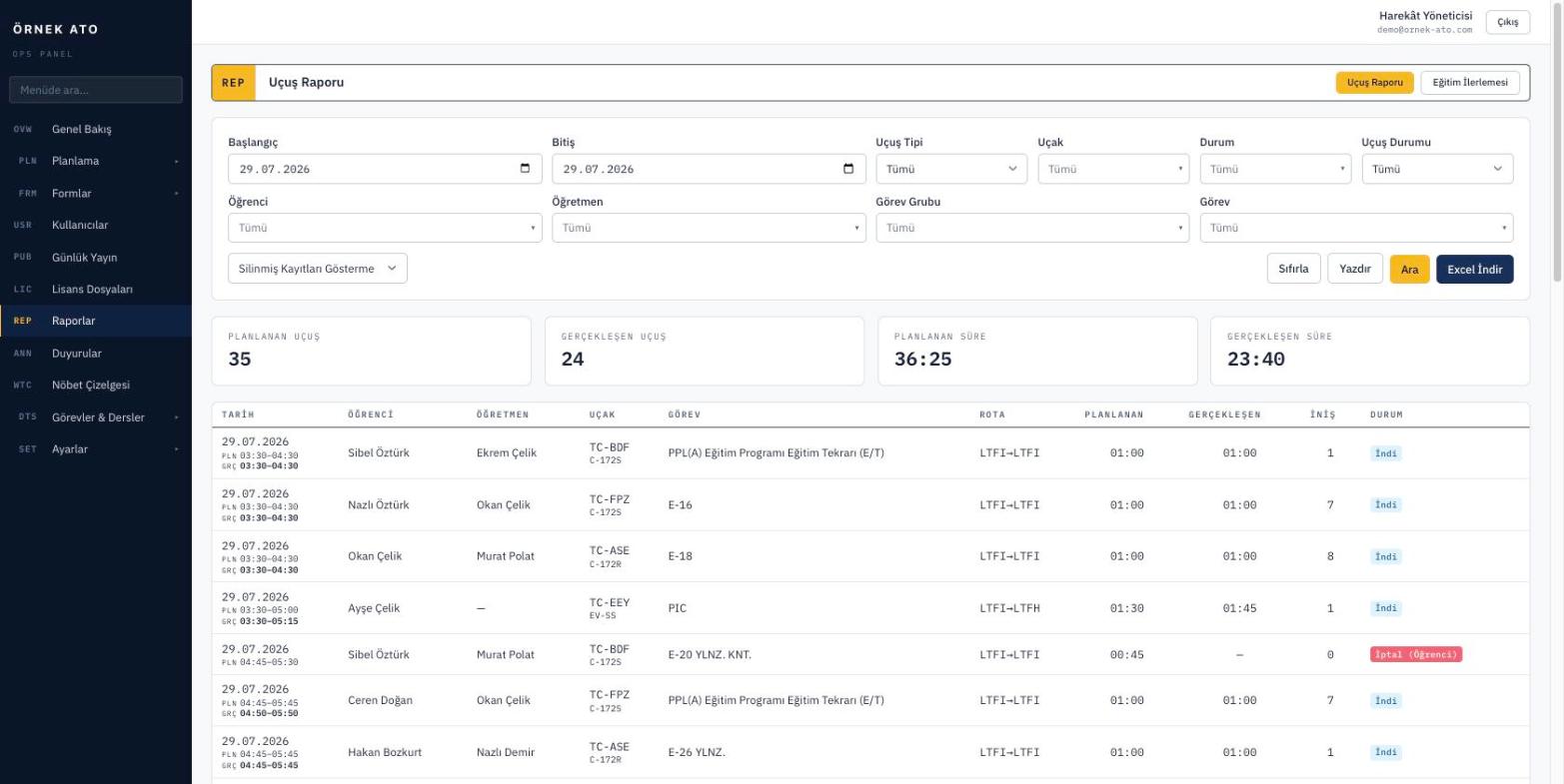
Reports are not separate work — they are another view of the same data. You choose the filters, see the result on screen and export to Excel if you need to.
ExploreWhatsApp and notifications
If nobody reads email, there is no point sending notifications there. Flight plans and reminders go out over WhatsApp, with templates you write yourself.
ExploreRoles and audit trail
Permissions attach to roles rather than people, and roles are defined at screen and action level. Every change is written to the audit trail with its user and timestamp.
Explore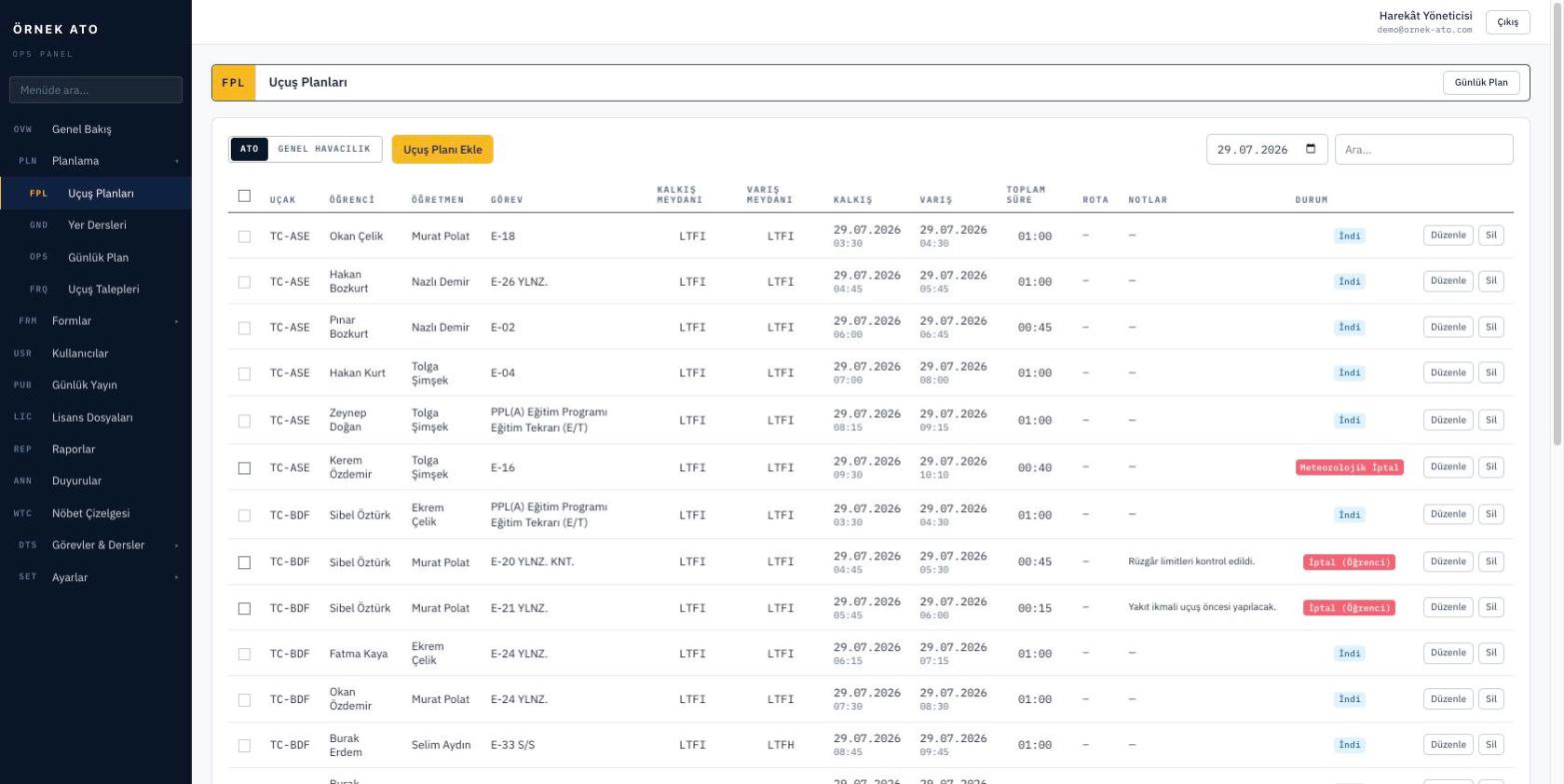
At a glance
What each module solves
| Module | The problem it solves | Who uses it |
|---|---|---|
| Flight planning and daily operations | Building plans, checking conflicts, publishing | Operations, head of training |
| Student training records | Tracking syllabus progress by hand | Head of training, instructors |
| Weight and balance | W&B calculated on paper | Flight instructors |
| Evaluation forms | Forms disappearing into folders | Instructors, students, management |
| Ground school and attendance | Theory planned somewhere else | Ground instructors |
| Fleet management | Aircraft eligibility kept in someone’s head | Operations |
| Licence and certificate tracking | Expiring documents noticed too late | Head of training |
| Reporting and analytics | Assembling tables at month-end | Management |
| WhatsApp and notifications | Plans announced in a WhatsApp group | Everyone |
| Roles and audit trail | Not knowing who changed what | Management, audit |
Underneath the modules
What every module shares
These are not separate features but behaviours that hold everywhere in the system.
Turkish and English
Interface, notifications and exports in both languages. Each user picks their own.
Audit trail
Every change to every record is kept with its user and timestamp.
Role-based access
Permissions at screen and action level; the menu follows them too.
Excel export
Lists and reports export with the filters you have on screen.
Scheduled backups
Automatic backups are configured out of the box and can go to your own storage.
Works on mobile
Instructor and student screens are usable on a phone.
See it with your own data
We set up a demo account with your aircraft list and your syllabus. Build your own daily plan in it, then decide.
No setup fee, no commitment. We usually get back to you the same week.