Skip to content

Module 03

Is the centre of gravity inside the envelope — on screen, not on paper.

Items, arms and envelope points are defined once per aircraft type. The instructor opening the form from a flight row only enters the load; the calculation and envelope check happen instantly.

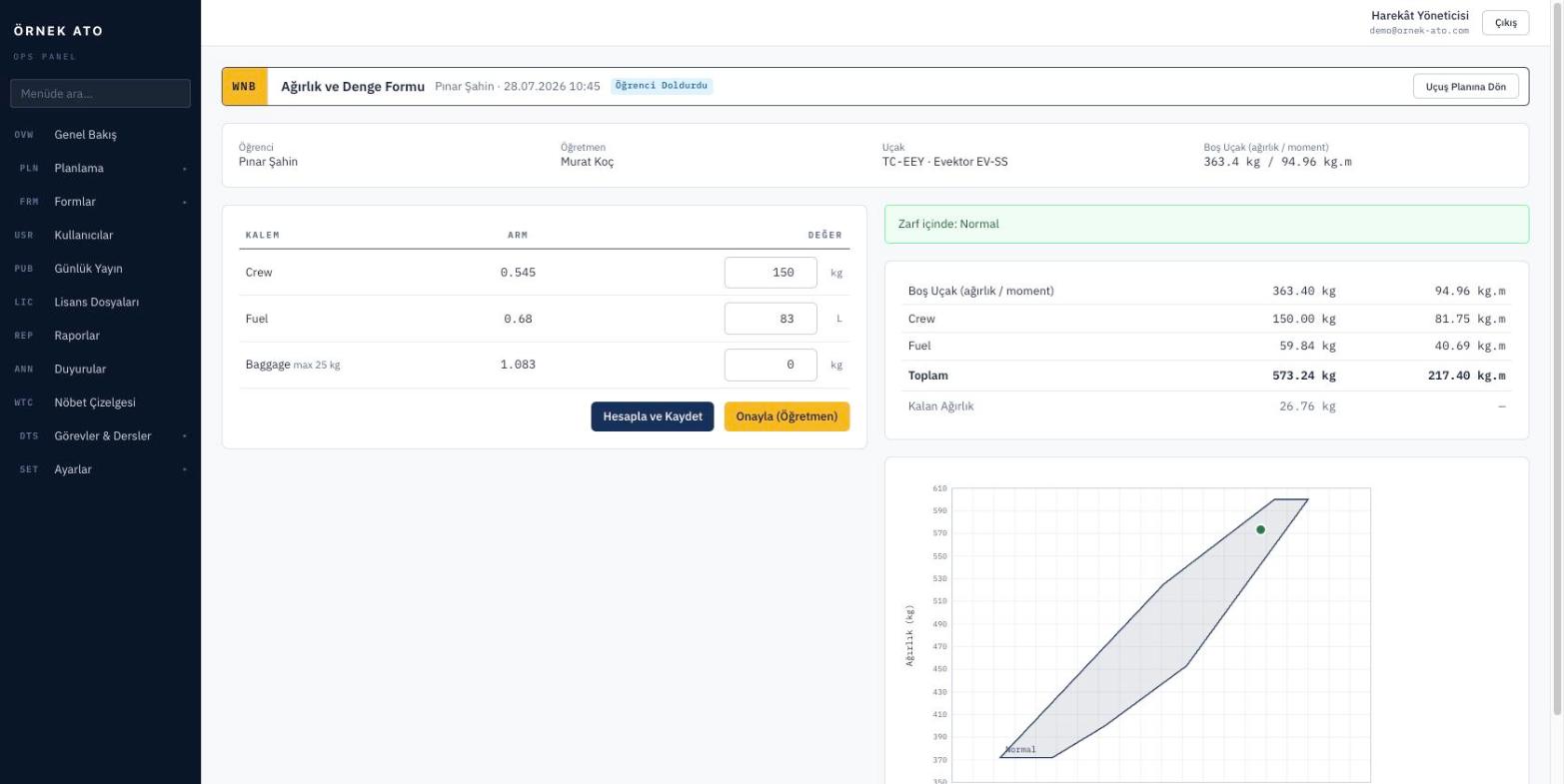
Screenshot from the application
The weight and balance form: as the loading is entered the centre of gravity is calculated and you see at once whether it falls inside the envelope.

Set up the template once

Empty weight, fuel, front and rear seats, baggage — each item is defined with its arm and maximum. The envelope is drawn from its corner points, and more than one envelope (normal, utility) can be defined.

  • Item, arm and maximum definitions per aircraft type
  • Multiple envelopes with a result for each
  • Past forms keep the figures they were calculated with, even if the template changes

Opens from the flight, attaches to the flight

The weight and balance form is not a standalone document, it is part of the plan. The instructor opening the flight fills it in, sees the result and approves it on the same screen, and the approved form is attached to that flight record.

  • Only opens for aircraft, not simulators
  • Warns clearly when the result falls outside the envelope
  • Approval is stored with who signed it and when

One list of every completed form

All weight and balance forms are listed with date, aircraft and instructor filters. When an audit asks for the W&B form of a given flight, one search finds it.

  • Filter by date, aircraft and person
  • Direct link back to the flight row
  • Flights still missing a form are shown separately

FAQ

Most asked

FAQ

Can we enter the envelope for our own aircraft type?

Yes. You enter the envelope corner points and item arms from your flight manual, so you are not limited to a preset list of types.

Can a form be changed after the flight?

Approved forms are locked. If a change is needed, an authorised user unlocks it and that action is written to the audit trail.

See it with your own data

We set up a demo account with your aircraft list and your syllabus. Build your own daily plan in it, then decide.

No setup fee, no commitment. We usually get back to you the same week.