Skip to content

Module 09

Notifications go where people actually look.

If nobody reads email, there is no point sending notifications there. Flight plans and reminders go out over WhatsApp, with templates you write yourself.

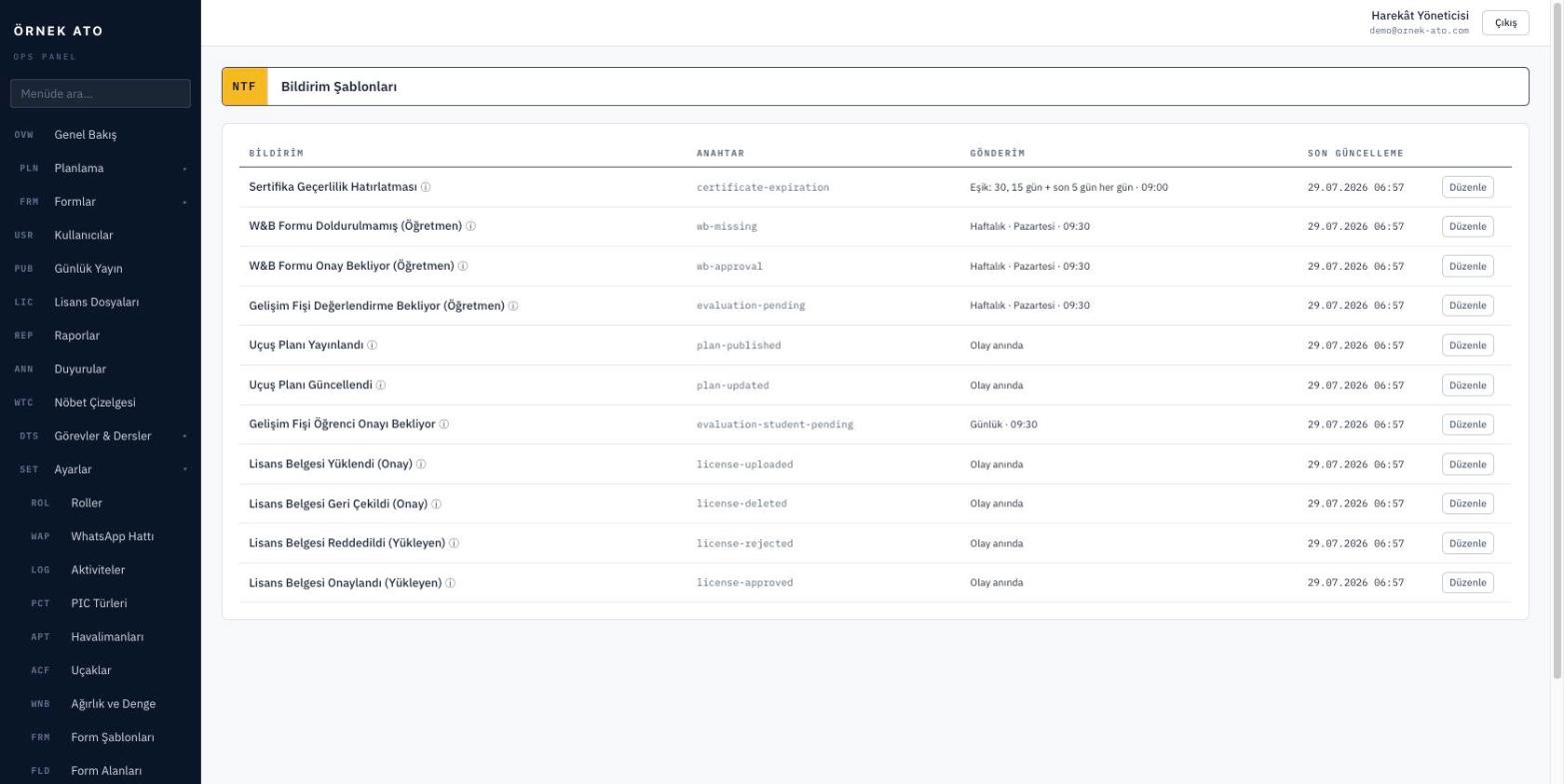
Screenshot from the application
Notification templates: you edit the text of every notification type yourself, with its variables.

Pair once, then it works

You pair the school’s WhatsApp number once with a QR code. Connection status is visible on the panel; if it drops you are warned, and re-pairing is a single step.

  • QR code pairing
  • Connection status and test message
  • No extra subscription or API key required

You write the templates

The text of every notification type is editable. You place the variables — student name, date, registration, exercise — wherever you want in the message, and you can reset to the default at any time.

  • A separate template per notification type
  • Variable list shown on screen
  • Reset to default

What gets notified

Plan publication, pending evaluation forms, documents nearing expiry, and request outcomes. Each notification type can be switched on or off independently.

  • The published plan for the day
  • Pending form reminders
  • Document currency warnings

FAQ

Most asked

FAQ

Do we need a WhatsApp Business API subscription?

No. The school’s existing WhatsApp number is paired with a QR code, and there is no separate subscription or per-message charge.

Can I turn notifications off entirely?

Yes. Every notification type can be switched off individually, and you can choose to use email only.

See it with your own data

We set up a demo account with your aircraft list and your syllabus. Build your own daily plan in it, then decide.

No setup fee, no commitment. We usually get back to you the same week.