Skip to content

Module 05

Theory lives in the same system and the same calendar.

You define a lesson catalogue and plan lessons with instructors and student groups. Attendance is recorded on screen and feeds directly into each student’s ground exercise progress.

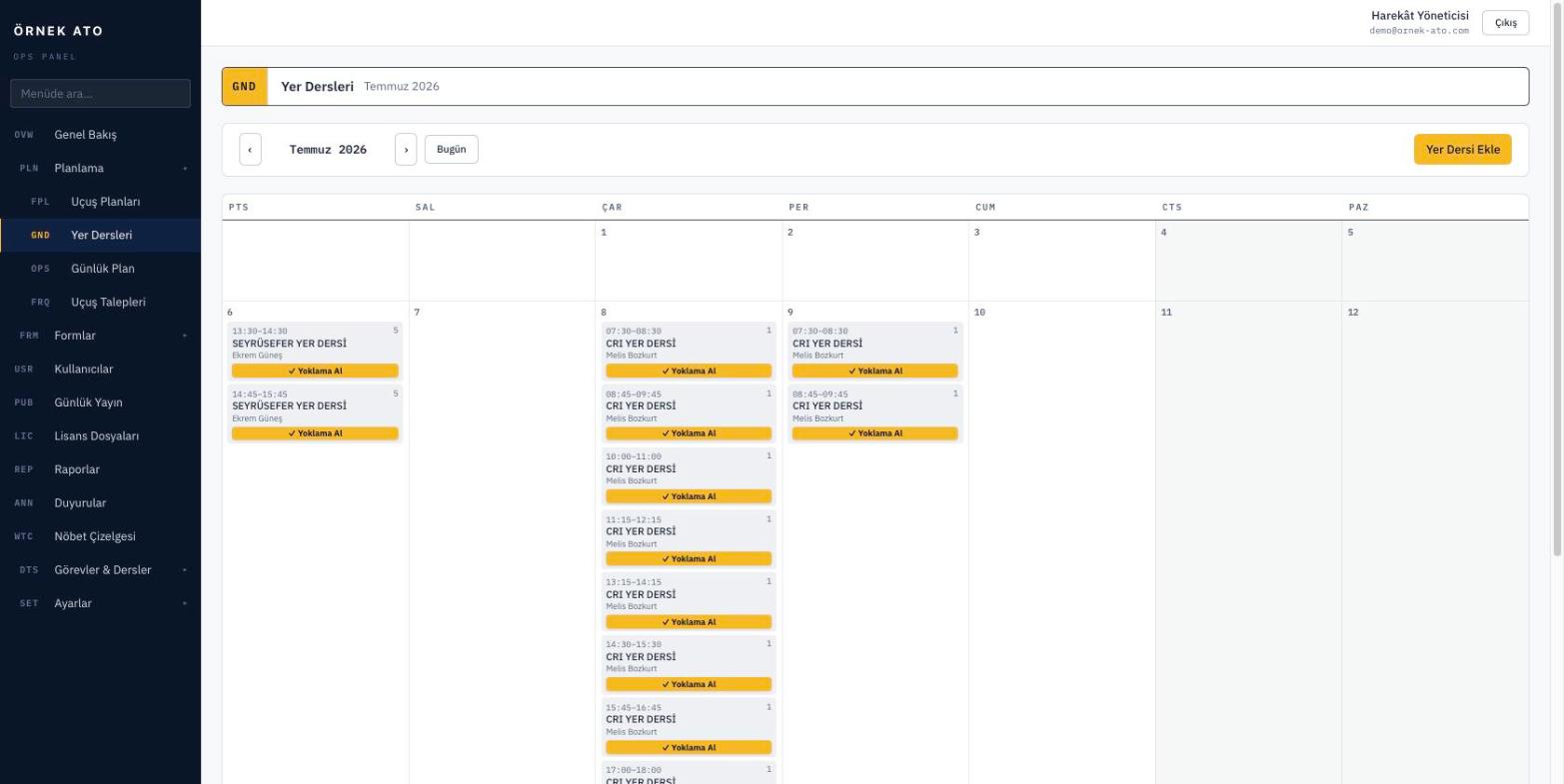
Screenshot from the application
The weekly ground school grid: lessons, instructors and attendees in one view, with conflicts in a separate list.

Lesson catalogue and planning

Lessons are defined once. When planning, you choose the lesson, instructor, date, time window and the students attending. Scheduling a run of lessons for the same group happens on one screen.

  • Multiple student selection
  • Every lesson in a weekly grid
  • Same-day view alongside the flight plan

Conflicts as a list

If an instructor has two lessons at once, or a student has a flight planned during a lesson, it shows in the conflict report. You clear them before publishing the programme.

  • Conflict list per instructor and per student
  • Lessons that overlap the flight plan
  • Direct link to fix each one

Attendance and ground exercises

At the end of a lesson attendance is marked on screen: attended, did not attend, or not yet taken. Presence recalculates the progress of the ground exercise the lesson belongs to.

  • Three-state attendance (not taken / attended / absent)
  • Ground exercise progress derived from attendance
  • Attendance history on the student card

FAQ

Most asked

FAQ

Does a lesson without attendance affect progress?

No. A lesson with no attendance taken counts as unknown and is not posted to progress; only marked attendance is included.

Can I plan one lesson for several groups?

Yes. The same lesson can be planned as many times as you need with different dates and student groups, while the catalogue entry stays shared.

See it with your own data

We set up a demo account with your aircraft list and your syllabus. Build your own daily plan in it, then decide.

No setup fee, no commitment. We usually get back to you the same week.